|
|
|
|
This week's updates focus on the flow of information, from its assembly to its arrival. The platform now further streamlines the collection of published work and can be configured for private, internal tracking. To complete the cycle, new controls allow you to calibrate an issue's delivery, matching the timing to your audience's clock.
|
|
|
|
|
|
Newsletters now arrive on your audience's clock
|

|
|
Choosing when an issue lands in someone's inbox can shape whether it gets read at all, and Collate now lets newsletter admins decide that down to the hour. In the Settings panel, under Newsletter Setup, you'll find two new controls sitting beside the existing delivery-day picker: a timezone selector and a delivery-time dropdown covering every hour of the day. Pick the timezone your audience actually lives in, choose the hour you want the issue to surface, and Collate handles the rest.
The practical effect is small but meaningful. A research centre publishing to policymakers in Ottawa can have issues arrive at 7 AM Eastern, just as briefings are being assembled. A lab communicating with clinical collaborators across Europe can land at 9 AM CET instead of mid-morning North American time, when their readers have already moved on to other work. For inter-institutional networks coordinating across time zones, the timezone setting means the newsletter's local-time label finally matches the audience you're trying to reach, rather than wherever the admin happens to sit.
Both fields are interpreted together with your existing delivery day, so a Tuesday newsletter set to 8 AM in Asia/Tokyo will deliver at 8 AM Tokyo time on Tuesdays, regardless of where the admin account is based. Existing newsletters were given sensible defaults when this rolled out, so nothing changes unless you go in and adjust it. To set yours, open the dashboard, click Settings in the sidebar, and look for the Timezone and Delivery Time fields under Newsletter Setup. The helper text just below explains the behaviour: delivery day and time are interpreted in the chosen timezone, and the newsletter delivers on the next matching hour.
|
|
|
|
|
A quieter use for Collate: learning from your team
|
|
|
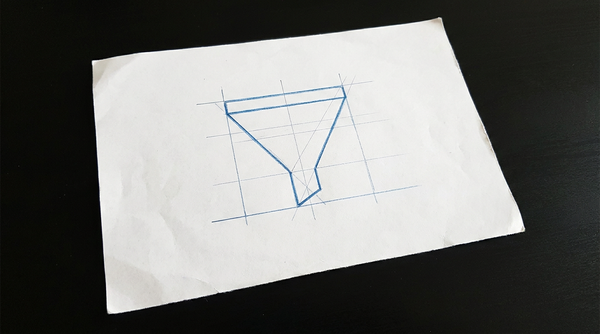
Collate is powerful and feature-rich, but it also does a core, basic thing very well: let you know what your group members published this week.
That's a real use case on its own, and one we hear from research admins more often than we expected. Sometimes you don't need an audience-facing newsletter with carefully tuned summaries and stakeholder framing. Sometimes you just want a clean weekly list of what came out of your centre, lab, or department, so you can flag interesting papers for your comms team, prep talking points for a director's meeting, or simply not miss the moment when one of your researchers lands a notable result. Used this way, Collate quietly becomes an internal monitoring tool that you happen to be the only subscriber to.
The setup is the same as any other newsletter, just pointed inward. Add the ORCIDs of the people you want to track in the Authors panel under Sources, subscribe yourself (and maybe a small internal distribution list, like your comms team or a dean's office) under Subscribers, and let the weekly issue land in your inbox. You can leave the design rough, skip the auto-generated header image, set a low article minimum so it sends even on quiet weeks, and ignore anything related to public sharing. Nothing about Collate insists you ever push an issue externally.
The payoff is small but compounding. Instead of running periodic sweeps through institutional databases or pinging researchers to forward you their preprints, you get a steady, automatic feed of what your group is publishing — already deduplicated, already cited, already linked. When you do want to escalate something to broader communications, the work of finding and formatting it is mostly already done. To set this up, open the dashboard, register author ORCIDs under Authors, manage your audience under Subscribers, and tune cadence under Settings.
|
|
|
|
|
Collate is Automagical
|

|
|
Anyone who has assembled a research newsletter by hand knows the work is less about writing and more about wrangling.
It's chasing DOIs, formatting citations, hunting for a usable image, verifying author affiliations, and pasting everything into a layout that hopefully renders cleanly in someone's inbox.
Collate is not actually magic. What it does is absorb the wrangling.
Behind the scenes, the platform watches the sources you have configured, resolves identifiers against Crossref and OpenAlex, drafts a reader-friendly headline and summary calibrated to your newsletter's audience and language, formats the citation in your chosen style, attempts to pull a representative image, tags any of your registered ORCID authors who appear on the work, and assembles the scheduled issue for delivery. None of those steps are individually exotic. The value is in the plumbing that connects them — and in the fact that it runs every day without anyone having to remember.
For a research unit, the practical effect is that hours which used to disappear into formatting and copy-paste are returned to higher-value work: deciding which findings deserve emphasis, framing a message for a specific policymaker or stakeholder audience, building the relationships that turn published research into actual uptake. The plumbing handles the production line so the people can do the curation and translation that actually move work into the world.
|
|
|
|
|
|
|
|
|
|
|
|
|

Narratory
2967 Dundas Street West #527, Toronto, Ontario M6P 1Z2, CA
updates@narratory.com
|
|
|
|